How to Use the Amazon KDP Uploader

What is Amazon KDP?

Amazon Kindle Direct Publishing (KDP) is a way for you to publish your Kindle ebooks and paperbacks through Amazon's online platform. You can use the Amazon KDP platform to distribute ebooks, audio books, magazine, newspaper, and comic books.

How to use the Amazon KDP uploader?

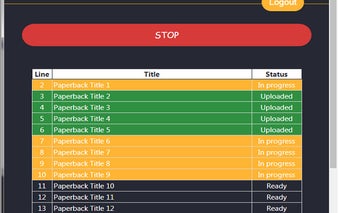
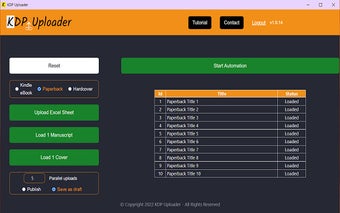
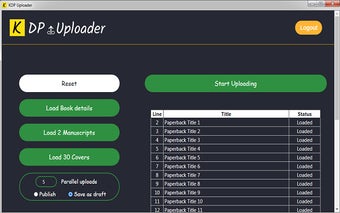
To start, you need to install the uploader and open it. You will see a list of the files you are able to upload. All you need to do is select the correct file and click "Start upload". The download progress is shown in real-time, allowing you to monitor your progress.

The uploaded files will be processed and delivered to the Amazon KDP system in two different ways: draft or live.

Draft mode:

You will see a list of the newly uploaded books. You can view the manuscript, upload files, publish, and download books in this mode.

Live mode:

You will see a list of the newly uploaded books.
 0/3

App specs

  • License

    Free

  • Version

    1.1.17

  • Latest update

  • Platform

    chrome

  • Language

    English

  • Downloads

    9

  • Developer

Program available in other languages


User reviews about KDP Uploader

Have you tried KDP Uploader? Be the first to leave your opinion!

Top extensions for Google Chrome

Top downloads Add-ons & Tools for Google Chrome

Top downloads Add-ons & Tools for Google Chrome

Top downloads Add-ons & Tools for Google Chrome

You may also like

Explore Apps

Latest articles

Laws concerning the use of this software vary from country to country. We do not encourage or condone the use of this program if it is in violation of these laws.
Softonic
Your review for KDP Uploader
Softonic

Is KDP Uploader safe?

100/100

Score result: Clean

This file passed a comprehensive security scan using VirusTotal technology. It is safe to download.

  • Virus free
  • Spyware free
  • Malware free
  • Verified by Security Partners

    VirusTotal logo

Scan Info

Last scan
Sunday, July 27, 2025
Scan provider
VirusTotal

Softonic security commitment

KDP Uploader has been thoroughly scanned by our advanced security systems and verified by industry-leading partners. This file comes from the official developer and has passed all our security checks, showing no signs of viruses, malware, or spyware.